
Available Following List
Browse the Following accounts LinkedRadar can currently display for a public profile. Large or restricted accounts may return a partial list.
See Who They Follow on Instagram
View the available Following list of a public Instagram profile without signing in to Instagram. The first check is the list available now. A later check shows accounts that were not on it.
LinkedRadar shows the Following list it can read for a public profile. Private accounts stay closed.
Enter the username of a public Instagram profile. No Instagram login is required.
The first check shows the Following accounts LinkedRadar can display now. That list is the reference, not a complete history of older follows.
A later check shows public accounts that were not in the first list. LinkedRadar does not run that comparison as an automatic daily job.
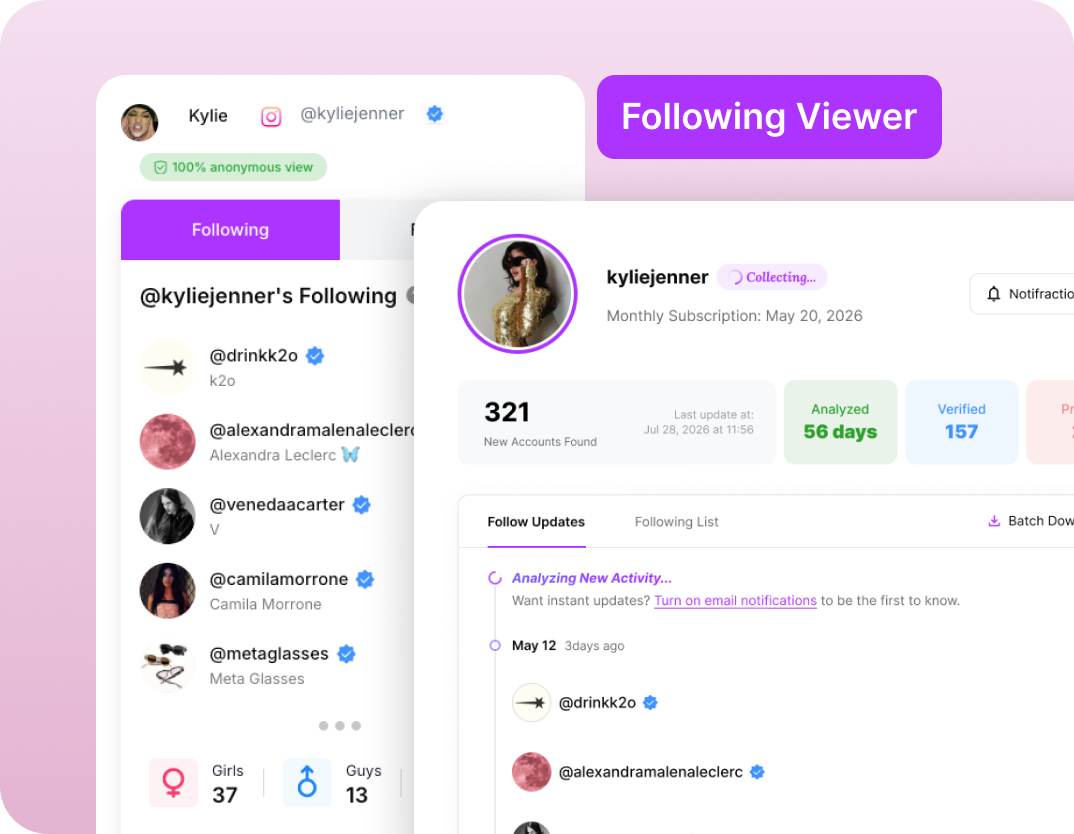

A Following count shows a total, but not the accounts behind it. Browse the available list to see the creators, brands, and public accounts a profile follows.

The accounts a public profile follows can show interests and communities. A follow alone does not explain why the account follows them.

Review a public Following list alongside the bio and posts before a collaboration, a purchase, or a closer look.

Finding additions in a long Following list takes repeated checks. A later LinkedRadar comparison brings newly found accounts together.
Browse the Following accounts LinkedRadar can currently display for a public profile. Large or restricted accounts may return a partial list.

A later check shows accounts that were not in the starting list. Accounts already in that list are not presented as recent follows.

Come back for the next comparison instead of trying to remember the old Following list.

View available public Following information without connecting your personal Instagram account or providing an Instagram password.

Browse a public profile's available Following list to see the people, creators, brands, and communities it follows.

Review the available Following list alongside the bio and posts when you are researching an unfamiliar public profile.
Review the public accounts a creator or brand follows before a partnership conversation. A follow alone does not establish a business relationship.

Explore available Following lists to find creators, brands, and communities in a niche, without assuming why one account follows another.
Enter a public username in LinkedRadar's Instagram Following Viewer. You can browse the Following accounts currently available for that profile without signing in to Instagram.
The first check is the reference list. A later check shows public accounts that were not on it. LinkedRadar does not show the exact time Instagram recorded the follow.
No. Another profile's Following list is not a reliable history. LinkedRadar compares a later check with the first list instead of reading list position as a clock.
No. LinkedRadar shows information from public profiles. It does not bypass a private account's settings.
LinkedRadar does not ask you to follow, message, or sign in as that profile, and it does not send them a separate notice.
No. LinkedRadar does not ask for the Instagram password of the account you view.
View the Following accounts available now. A later check shows accounts found after the first list. No Instagram login required.