
Public Photos and Videos
Save the public photos or videos the downloader can open for that username.
Save Public Photos and Videos
Enter a public username or profile link and save the photos or videos available on the posts tab. LinkedRadar does not add a watermark.
The Instagram post downloader saves public photos and videos from the posts tab. This only covers public Instagram data. Private accounts stay closed.
Search a public Instagram account by username or profile link. This page opens the posts tab. No Instagram login is required.

Browse the photos and videos that are available on that public profile before you save one.
Download the public photo or video you selected. The file follows the media that loaded. LinkedRadar does not add its own watermark.
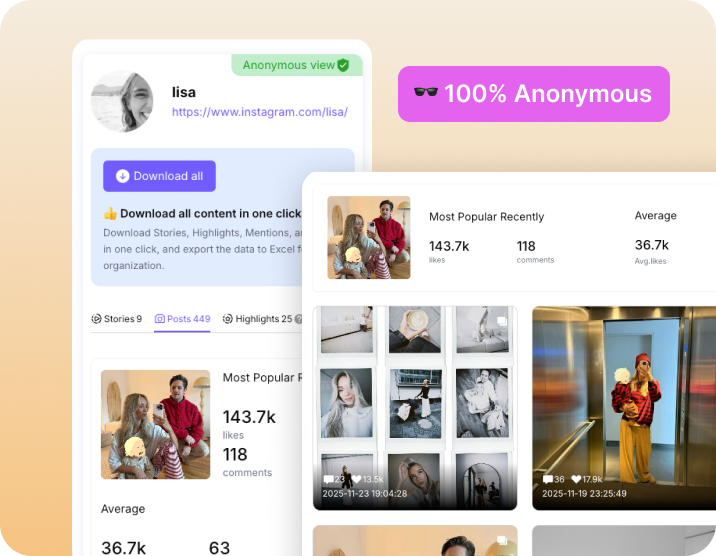

Open the post and save the file instead of capturing the screen.

Keep a public post for a moodboard, a citation, or a later edit.

Tutorials, mentions, and examples are easier to find in your own files.

A saved file remains after the post is harder to find in the feed.
Save the public photos or videos the downloader can open for that username.

Use the page on a phone, tablet, or computer.

You do not sign in as the account you are downloading from, and LinkedRadar does not ask for that Instagram password.

The download is the public media. LinkedRadar does not add its own mark.

Save a public photo or video you keep coming back to.

Keep a post that would otherwise disappear down the profile.

Open the saved file when the Instagram app is slow or unavailable.

Keep your own copy of a public post that matters to you.
It opens a public username on the Posts tab so you can preview and download Instagram posts that are available there.
No. Private posts are not available.
You get the public media the downloader can load. Quality follows that source file.
LinkedRadar does not send a download notification. You are saving public media.
Enter a public username and save the photos or videos on the posts tab. No Instagram login required.